Watima
Give your child the
gift of curiosity.
Open source. Ages 5 to 11.
A push-to-talk voice assistant you can read, change, and run yourself.
A child holds a button and asks. It answers out loud, then stops. You pair it, set the age, and decide what is kept. The firmware, the prompt, and the dashboard are all in the repo if you want a different version.
View on GitHubClone it, point it at your own function, and flash a board. Or change it first.
THE PROJECT
What the code actually does.
This site explains the project. The firmware, the Firebase function, and the parent dashboard are on GitHub. Run them as they are, or change the prompt, the ages, and what gets stored.
- The child holds a button No wake word and no screen to fall into. Let go, it answers in speech, then it is quiet.
- A parent pairs it first An unpaired device will not answer. Pairing is the consent. Removing the device withdraws it.
- Age sets the answer Five through eleven. A younger child gets a short sentence. An older one gets a longer explanation.
- The parent sees the questions The dashboard lists what was asked and what was answered. Clear a device's history and it is deleted from your database.
- Memory is a switch Off, a short session so follow-ups work, or thirty days you can read. Off stores nothing, so there is nothing to read back either.
- The audio is not kept The voice is turned into text and the recording is discarded. What can be stored is the text, for as long as the memory switch says.
- Answers stay short Length is capped on purpose, so it can't lecture or wander.
- No ads, and no log sent back here The firmware and the dashboard have no advertising. The device is silent unless the button is held. Questions are not reported to this website. If the function you deploy calls a model, that provider processes the turn. The history stays in the database you run.
- This website doesn't track you No analytics, no tag manager, no advertising pixels, no session recording. The only outside service this page loads is Google Fonts, for the typefaces.
- Your own project, not a shared account The reference cloud is one Firebase project. The code is meant to be cloned and pointed at yours: your function, your devices, your dashboard.
WHY A BUTTON
A question, then quiet.
Between five and eleven the questions get harder. How planes stay up. What a black hole is. Why the dinosaurs died. The code is built so the answer is spoken, short, and then the device waits.
A phone or a speaker
The question opens something else.
A phone answers, then offers the next video. A smart speaker is listening before the question starts, and the history sits on someone else's account.
This project
One answer, then it stops.
It hears only while the button is held, speaks a sentence or two, and goes quiet. Nothing to scroll, and the history stays in the database you run.
HOW IT WORKS
Ask, wait, listen.
- 1
Hold and ask
Press and hold the button. The ring turns green while it listens.
- 2
Let go
The ring turns amber while it works out the answer.
- 3
Listen
It speaks a sentence or two, then goes back to resting.
The child does not type or pick a link. Hold, let go, listen. The length cap lives in the function, so an answer stays a sentence or two. Change that cap if you want a different project.
LIMITS
What it won't do.
The limits are in the code on purpose. A child is the one holding the button.
It can be wrong
It works from a language model, so it will sometimes be wrong or out of date. An answer is the start of a conversation with you, not a source of record.
It doesn't chat back
It answers and stops. No follow-up question, no prompt to keep going, no greeting when your child picks it up. It builds no picture of them over time.
It can't help in an emergency
It is not a phone, an alarm or a tracker. It cannot call anyone, it does not know where your child is, and it only works on your home Wi-Fi.
Answers are written for the age you set
Age grounding
You set your child's age, and every answer is written for it — the words, the examples, and how much it assumes they already know. A five-year-old gets a sentence about why the sky is blue; an eleven-year-old gets the actual reason. The same question, answered differently, because they are different children.
Not a filter
The age is a writing instruction, not a guarantee. The model can still say something you would not have. There is no second pass in the code that catches an answer after it has been spoken. If you want that, it is a change you would add in the function.
THE HARDWARE
The board the firmware is written for.
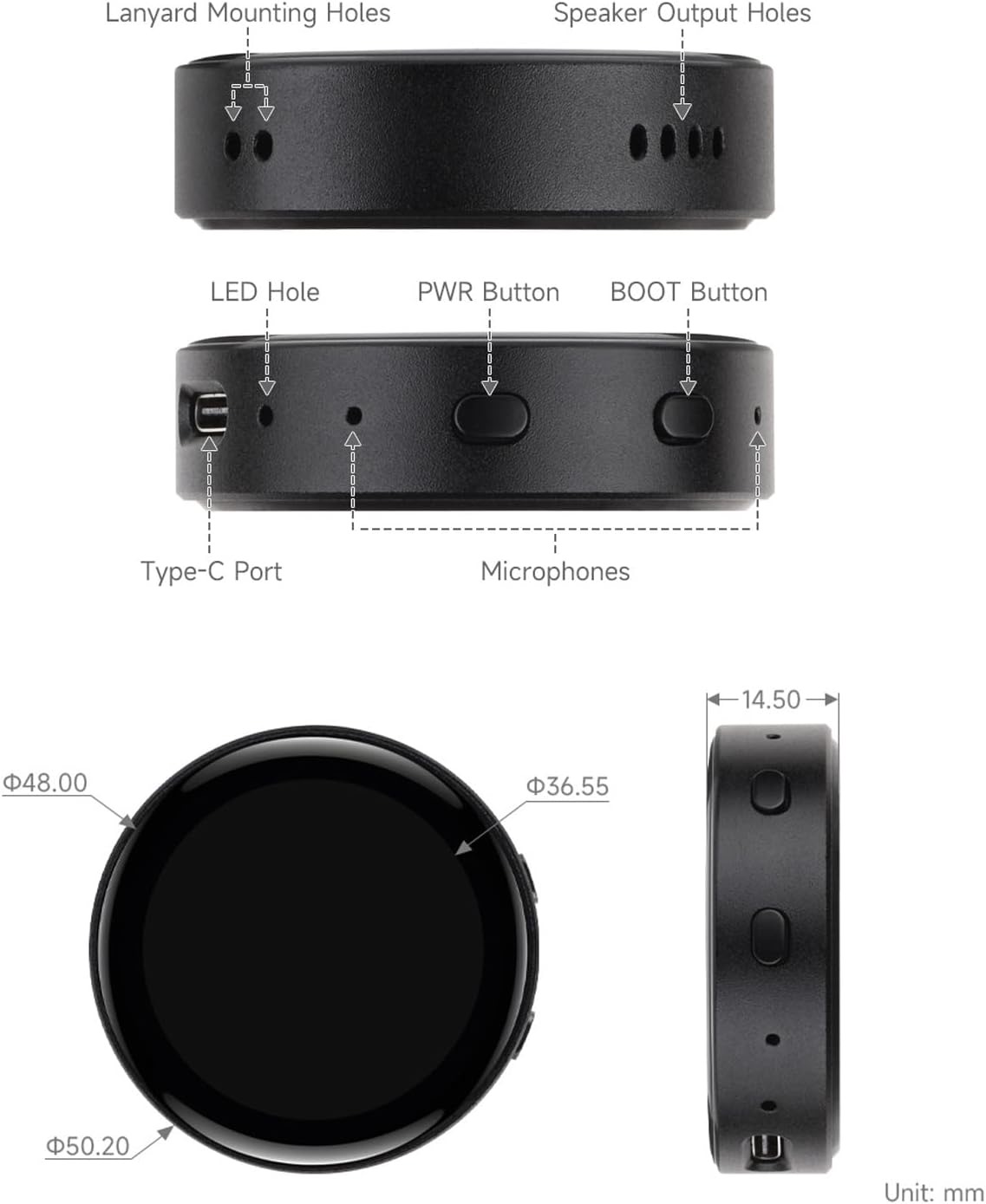
A Waveshare ESP32-S3-Touch-AMOLED-1.43C. About 50 mm across and 14 mm thick, with two microphones so a question is still audible in a noisy room.
The display is there for one reason: to show what it's doing. Green while listening, amber while thinking, blue while speaking. There is nothing to watch on it.
- Size
- 50.2 mm across, 14.5 mm thin
- Screen
- 1.43″ round AMOLED, 466 × 466
- Brightness
- 600 cd/m², 10,000:1 contrast
- Microphones
- Dual array, noise reduction and echo cancellation
- Sound
- Built-in speaker
- Power
- Rechargeable battery, charges over USB-C
- Wireless
- 2.4 GHz Wi-Fi
- Board
- Waveshare ESP32-S3-Touch-AMOLED-1.43C
WHY RUN IT YOURSELF
Your function, your database.
The firmware talks to one function you deploy. The questions live in that project's database. A Gemini chat, or a key pasted into the device, keeps the usage on a Google account instead.
Why self-host
If someone else hosts the assistant, they hold the log: the question, the time, and which child asked it. Clone the repo and deploy the function on your own Firebase project, and that log is yours. The dashboard reads your database. Delete a turn and it is gone from the project you run.
The answer still comes from a model. If you point the function at Gemini, that provider processes the turn. Self-hosting means no second party is keeping a record of what your child asked. You are.
The board is a normal computer
Inside is a stock ESP32-S3 — a Waveshare ESP32-S3-Touch-AMOLED-1.43C, the same module anyone can buy. Not a locked board, not a custom chip that only talks to my servers. It has 8 MB of flash, 8 MB of PSRAM, two microphones, a speaker, a round AMOLED touch screen and a USB-C port.
It takes firmware from the Espressif toolchain, over USB-C, like any other dev board. Flash Watima, change the prompt and flash that, or flash something else entirely: a clock, a step counter, a loudness meter. The board is a normal computer. The project is the code.
Build instructions are in the repository:
View on GitHub.
Copy secrets.h.example, deploy your own function, and flash the board.
GITHUB
Take it and change it.
The firmware, the function, and the dashboard are in the repository. Fork them. Change the prompt, the age range, the voice, what gets stored. This website is only the explanation.
WHY THIS EXISTS
I built this for my son.
I'm Nishant Vyas. I have a ten-year-old, and he is relentlessly curious — mostly about cars, engines and Lego. Why one engine sounds different from another. What actually makes a car fast. Whether the thing he just built would hold together if it were real. One of our favourite things to do in the car is put Gemini on over Bluetooth and let him ask whatever he's wondering about. We do the same at home with our Google Home.
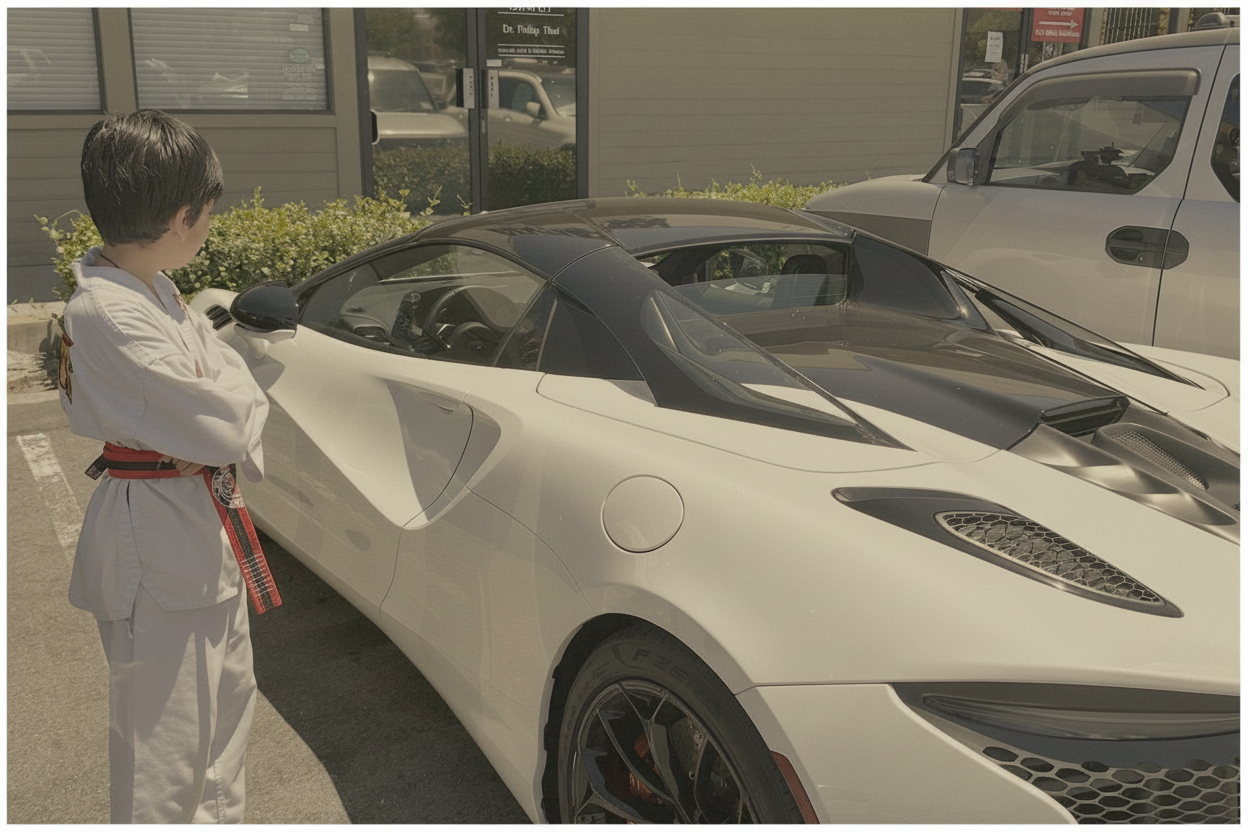
Those moments are the best part of my week. But I could never hand either of them to him and walk away, for three reasons.
They're always listening. A smart speaker sits there with its microphone open, waiting for a wake word. The data goes somewhere I don't control. I can't tell you what's kept, for how long, or make it go away. And they don't move — a Google Home lives on a kitchen counter, so the question has to wait until he's standing near it.
The obvious answer is to give him a phone. I don't want to. The screen is the whole problem: he'd ask one question and still be there forty minutes later.
So I built the thing I actually wanted. It only listens while a button is held — no wake word, no open microphone. It's small enough to carry into another room. And I decide what's kept and for how long, because I'm the one holding that switch, not a company.
To be straight with you: the answer still comes from a model. If that model is Gemini, Google processes the turn. What self-hosting changes is the record. The history is written by your function, into your database, and the dashboard you run is the only place that lists what your child asked. There is no Watima account watching usage.
That is the project: a button, a short spoken answer, and a dashboard you run yourself. If you want the same thing for your own child, or a different version of it, the code is there to change.
The source is View on GitHub. Questions: hello@askwatima.com.